Creating a Series
The first step in your commentary journey: the setup.
Table of contents
/updateteamsfromliquipedia
Use /updateteamsfromliquipedia to retrieve a list of teams & players participating in a specific Rocket League event documented on Liquipedia.
This updates the list of teams shown in the /createseries command - which automatically fetches the player names for you!

The Liquipedia event page needs to have a Participants grid similar to the RLCS 2022-23 Fall Major page.
You only need to use /updateteamsfromliquipedia once - because the bot will store the reference data in memory.
The bot will reply in the #rlcs-mission-control channel indicating which Liquipedia page is currently stored in its memory.

/createseries
Use /createseries to initialise a new series, using team/player information from a Liquipedia event page.
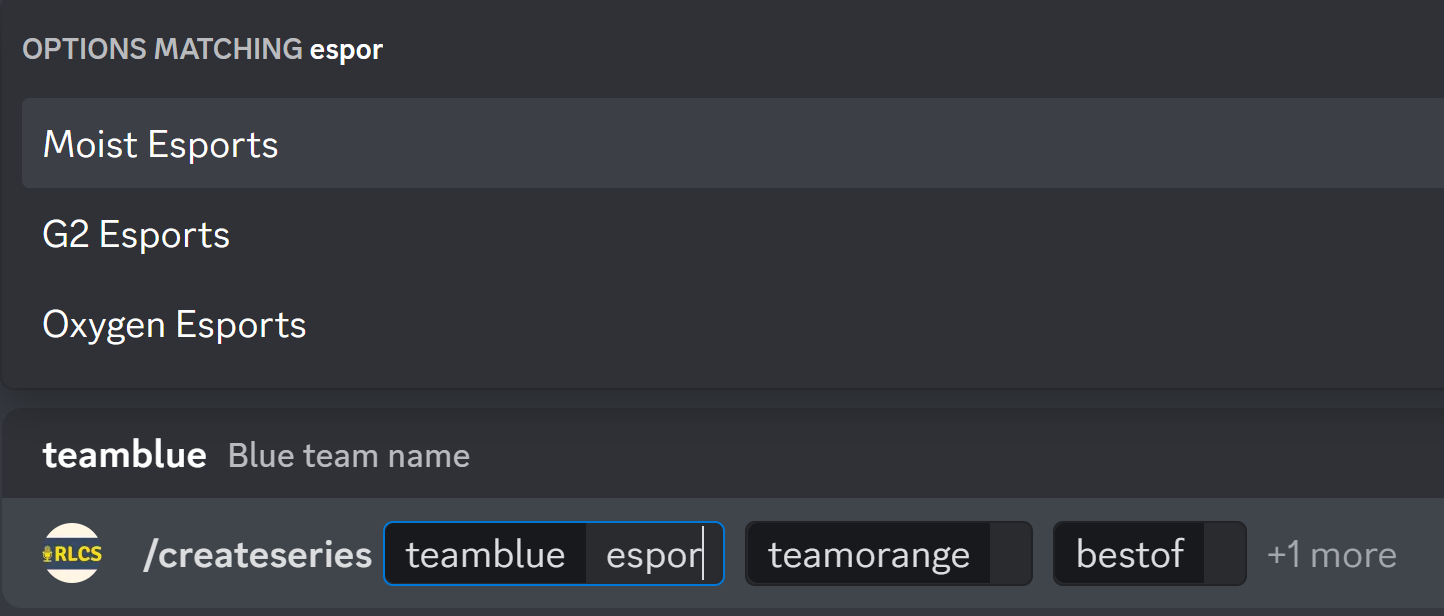
/createseries takes four inputs:
- teamblue: Choose from dropdown
- teamorange: Choose from dropdown
- bestof: Odd integer
- (Optional) twitchchannel: Twitch channel streaming the game (see Twitch Clips)
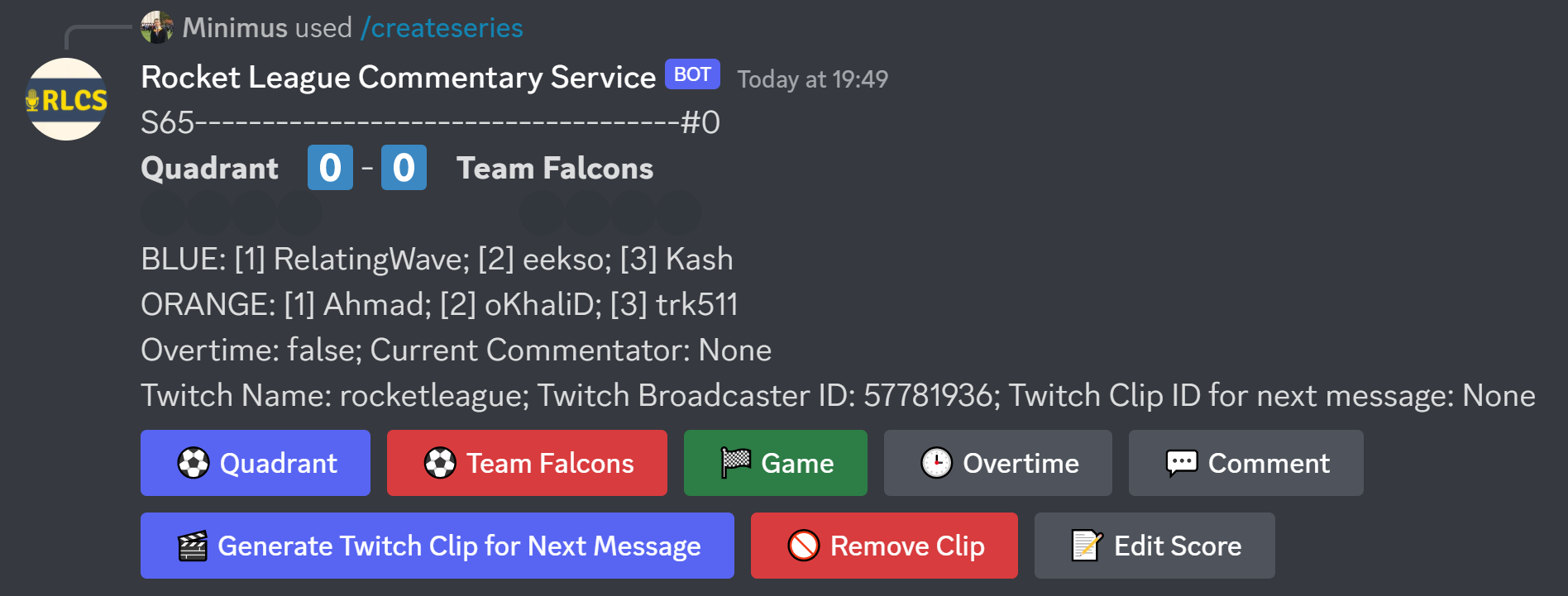
For example, let’s create a Bo7 series between Quadrant and Team Falcons, hosted on https://www.twitch.tv/rocketleague:

The bot will respond by creating a series in the #rlcs-mission-control channel:
To update the list of teams shown in this command, you need to run /updateteamsfromliquipedia
When entering the twitchchannel field, you can provide either the username (rocketleague) or the full Twitch link (https://www.twitch.tv/rocketleague).
When creating a series, the bot will automatically assign a “Series ID” (in this example, “S65”) - which allows users to search for commentary of a historical series.
/createseriesmanually
This is practically identical to /createseries - except you have to populate the team/player names manually:
